

Say Hello to zbplan
An AI-native build planner that reads your code and writes the optimal build for it — the successor to zbpack.
 Pan
Pan
For years, zbpack has been the engine that turns your source code into a deployable image on Zeabur. It worked by hand-written decision trees: a human read through how a framework behaves and encoded the rules for detecting and building it.
That approach has limits. The decision trees misjudge projects more often than we'd like, and every new framework means someone has to sit down and write fresh rules by hand. So we built a successor.
That successor is zbplan.
What Changed
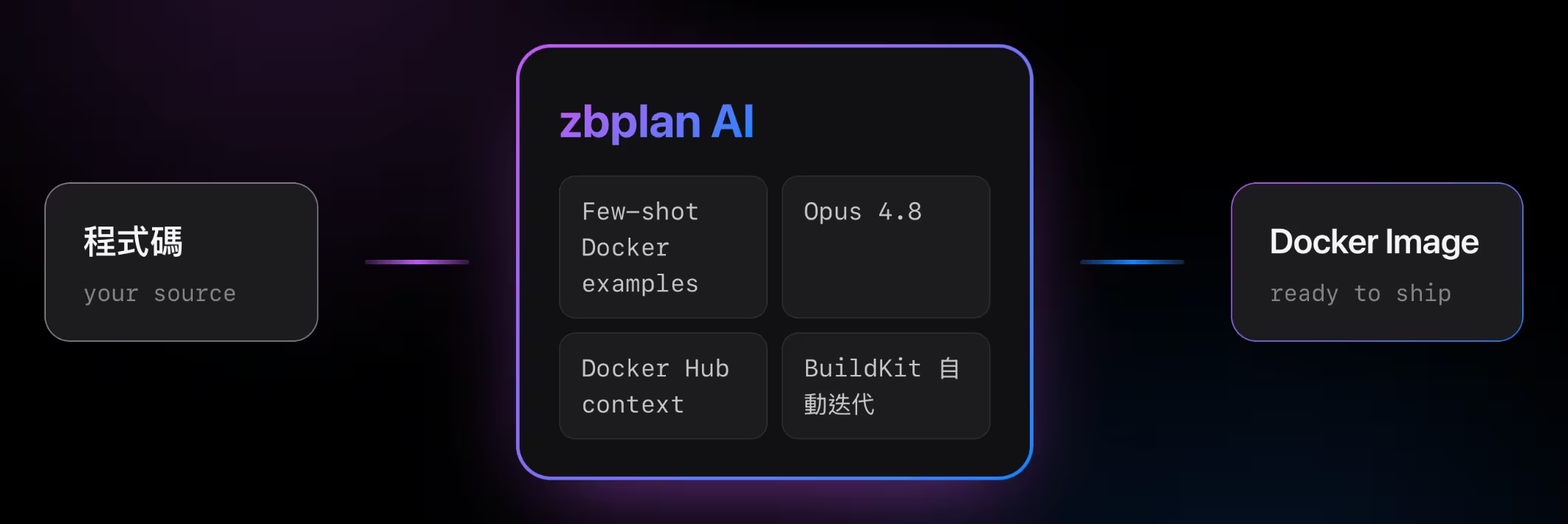
Drawing on what we learned building design Agents and maintaining Dockerfiles, zbplan takes a different path:
- Few-shot AI, not decision trees. zbplan reads your actual code and generates the build plan that fits it, instead of matching it against a fixed set of rules. New frameworks work out of the box — no manual updates required.
- Cached builds. Using Dockerfile cache mounts, dependencies and build cache persist on disk across builds, so builds finish noticeably faster.
- Harness Engineering. After generating a build, zbplan compiles it automatically. If the build fails, it reads the error and regenerates — closing the loop without you in it.
The result is fewer misjudgments, faster builds, and support for frameworks the day they appear.
How to Use
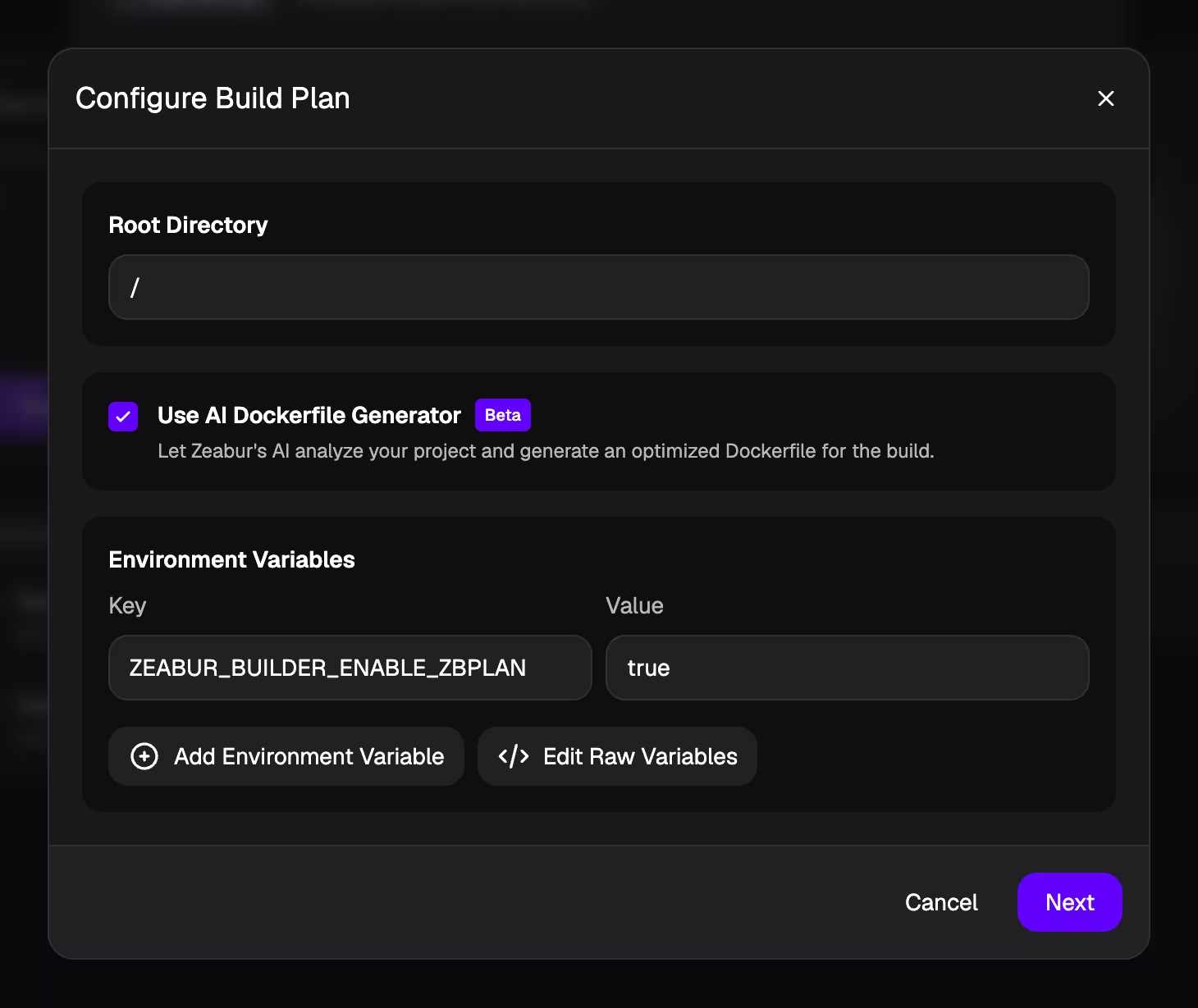
Once your service is set up — whether from GitHub or a Local Project — open Build Plan Preview, then click Configure to enable zbplan.
Availability
zbplan is now available to all Developer Plan, Pro Plan, and above customers.
It's also fully open source. If you want to bring it into your own project — or your own PaaS — you're welcome to: github.com/zeabur/zbplan.
Have questions or feedback? Visit the Zeabur Forum.